
Linking your PAN with Aadhaar is still mandatory in 2026 for all PAN holders in India. If your PAN is not linked, it can remain inoperative, which may stop you from filing income tax returns, opening bank accounts, investing, or completing high-value financial transactions.
This updated guide explains the latest process, fees, common problems, and solutions in simple language.
Why PAN–Aadhaar Linking Is Mandatory in 2026
The Government of India has made PAN–Aadhaar linking compulsory to prevent duplicate PAN cards and improve tax compliance. The process is monitored by the Income Tax Department through its official e-filing portal.
If PAN is not linked:
- PAN may become inoperative
- Income Tax Return (ITR) filing will be blocked
- TDS/TCS deductions may increase
-
Bank and investment transactions may fail
Documents and Details Required
Before starting, keep the following ready:
- PAN number
- Aadhaar number
- Name and Date of Birth (must match on both documents)
- Mobile number linked with Aadhaar (for OTP)
- Internet banking, UPI, or debit card (if fee payment is required)
PAN–Aadhaar Linking Fee in 2026
| Status | Fee |
|---|---|
| Linked before deadline | ₹0 |
| Linking after due date | ₹1,000 |
The fee is non-refundable and must be paid before linking if applicable.
Step-by-Step Online Process to Link PAN with Aadhaar (2026)
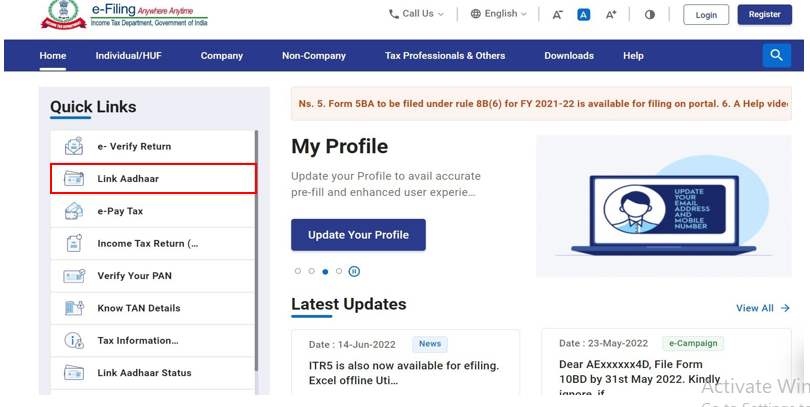

Go to 👉 https://www.incometax.gov.in
Step 2: Select “Link Aadhaar”
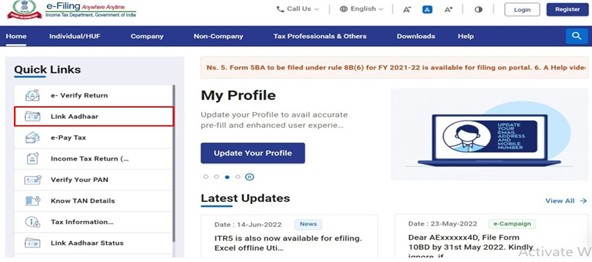
On the homepage, click Link Aadhaar under the Quick Links section.
Step 3: Enter PAN and Aadhaar Details
Fill in:
- PAN number
- Aadhaar number
- Name as per Aadhaar
Tick the declaration checkbox.
Step 4: Pay the Linking Fee (If Required)
If your PAN is not yet linked and the due date has passed:
- Click Continue to Pay Through e-Pay Tax
- Choose payment method (UPI, Net Banking, Debit Card)
- Complete payment
- Return to the Link Aadhaar page
Step 5: OTP Verification
An OTP will be sent to your Aadhaar-linked mobile number.
Enter the OTP and submit.
Step 6: Confirmation
A success message will appear confirming PAN–Aadhaar linking.
Save or screenshot the confirmation for future use.
How to Check PAN–Aadhaar Linking Status
- Visit the Income Tax e-Filing portal
- Click Link Aadhaar Status
- Enter PAN and Aadhaar number
-
View the current status instantly
Common Issues and Their Solutions
Name mismatch
→ Update Aadhaar or PAN details before linking
OTP not received
→ Check Aadhaar mobile number or retry after some time
Payment done but linking failed
→ Wait 24 hours and try again
PAN already inoperative
→ Link Aadhaar first; PAN is usually reactivated automatically
